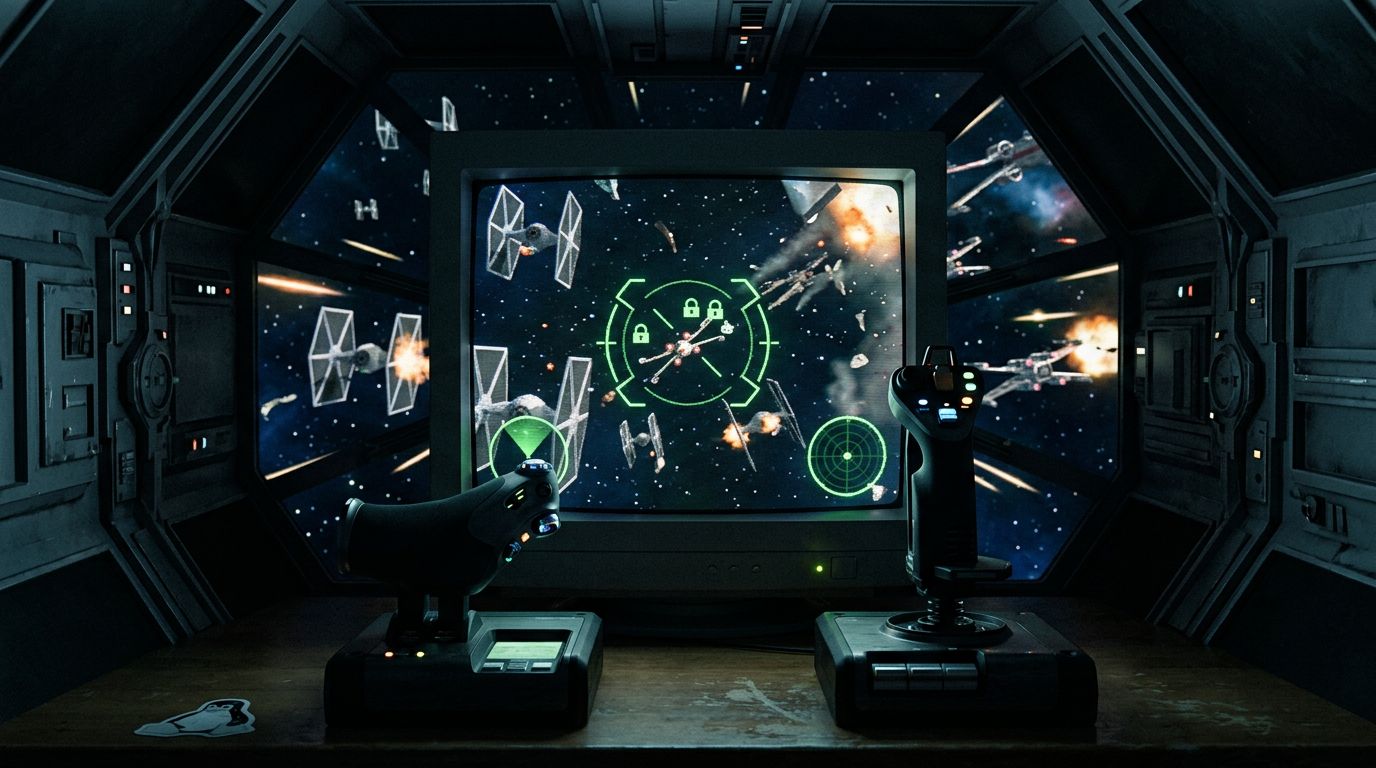
Linux old school gaming - some Claude required
The real test of my new NixOS gaming setup wasn’t going to be some modern benchmark. It was TIE Fighter. If I can’t fly for the Empire, what was the point of leaving Windows?
TIE Fighter is a 1994 LucasArts space sim and, in my opinion, still the best Star Wars game ever made. I’m working from a copy purchased on Steam, which is actually a bundle: the original 1994 DOS version, the 1995 Collector’s CD-ROM, and the 1998 Windows “remastered” version with higher resolution graphics and voiced briefings. I’m playing the 1998 one. Getting it fully working on NixOS took three separate fixes, and I would not have gotten through the last one without Claude Code.
Wait, is this emulation?
I had assumed Linux was running this old game through some kind of Wine emulation. I was half wrong, in an interesting way. Wine (the project name literally stands for “Wine Is Not an Emulator”) doesn’t emulate anything. It translates Windows system calls into Linux ones, and the game’s own x86 code runs directly on the CPU at full speed. Steam wraps this up as Proton, so the 1998 Windows build of TIE Fighter runs on my machine the same way it ran on a Pentium II, just with its Windows API calls quietly rerouted.
The 1994 DOS version is the one that actually gets emulated. Steam ships it with DOSBox, which emulates an entire DOS-era PC. And since Steam bundles the Windows build of DOSBox, on Linux you get an emulator running inside a compatibility layer. Layers on layers, and somehow it all works.
Fix one: the mouse
Out of the box the mouse cursor in the launcher and concourse screens was a mess. The fix is a launch option in the game’s Steam properties:
%command% -softwarecursor
That tells the game to draw its own cursor instead of relying on the hardware cursor path that doesn’t survive the trip through Proton. Easy one. I was feeling pretty good at this point.
Fix two: Voodoo-era 3D graphics
The 1998 version has a 3D acceleration mode, built for the era of 3dfx Voodoo cards. With 3D graphics enabled, the game crashed the moment a mission loaded. Software rendering worked fine, but I didn’t spend money on a GPU to fly flat-shaded polygons like an animal.
The crash has two causes. The game probes for a PowerVR card using BIOS interrupts, which dies instantly under Wine. And Wine’s built-in DirectDraw doesn’t handle the game’s ancient Direct3D correctly. The community fix is xwa_ddraw_d3d11, a replacement ddraw.dll that reimplements the old DirectDraw interface on top of Direct3D 11. You drop the patched DLLs next to the game exe, add a nopowervr.txt file to skip the crashing hardware probe, and tell Wine to prefer the native DLL over its built-in one. Details in the config section below. With that in place, 3D missions load and the game looks better than my nostalgia remembered it.
Fix three: HOTAS, the hard one
Here’s where the weekend went. For newer games like Star Citizen I fly with a fancier dual-stick setup, but for TIE Fighter I wanted my Thrustmaster T.16000M stick in my right hand and my newer Thrustmaster Sol-R throttle in my left. Proper HOTAS, hands on throttle and stick.
TIE Fighter is from the era when a game recognized exactly one joystick. Plug in a stick, a throttle, and leave a third stick connected from another game, and it grabs whichever device it notices first. So step one was telling the game’s Wine prefix to disable everything except the T.16000M, which makes the stick joystick number zero, the only joystick as far as the game knows.
Step two was the throttle, and this is where it got weird. My first plan was to merge the stick and throttle into a single virtual joystick using evsieve, a Linux tool that grabs input devices at the evdev layer and remaps their events onto a new virtual device. The game would see one joystick with all the axes, stick and throttle included. That part worked. But the throttle itself never behaved. TIE Fighter only has four throttle settings, 0%, 33%, 66%, and 100%, and with the naive remapping the lever’s full travel only ever reached the middle two. I honestly don’t know what causes this. It could be calibration on the Sol-R, it could be how the game reads the DirectInput axis, it could be a cap somewhere in the 1998 code. Claude Code and I drove test inputs into the game for a while and never got the analog axis to hit zero or full power. At some point you stop debugging a 28-year-old game and route around it.
The route around is sillier and better. TIE Fighter has a keyboard key for each of those absolute throttle settings: backslash for 0%, bracket keys for one third and two thirds, Backspace for full power. So instead of a virtual joystick, I run a small Python daemon that grabs the Sol-R lever, watches its position, and taps the matching key on a virtual keyboard as the lever moves through four zones. Push the lever forward and something invisible presses Backspace for me. Pull it back and it hits backslash. The game thinks I’m a keyboard player with excellent timing, and I have a working throttle.
Four detents is not as good as a smooth analog axis, but it beats taking my hand off the stick to hunt for bracket keys in the middle of a dogfight. Now I have HOTAS, the way I want it.
The next challenge
Now I need to think through how the rest of the controls get mapped. TIE Fighter has a lot of keyboard commands: shield balancing, laser recharge rates, targeting, wingman orders. Ideally all of it lands on the HOTAS buttons so my hands never touch the keyboard in a fight. The Sol-R has plenty of buttons, and now that I have a daemon that can translate inputs to keystrokes, extending it is mostly a design problem. Which is to say, it’s a problem for another day.
I definitely would not have been able to do this without Claude Code. It stepped through the axis-cap investigation with me, wrote the daemon, and debugged the udev permissions. So for the benefit of other humans, and the AI agents who will inevitably be asked to figure this out, here’s the full configuration in NixOS terms.
The configuration
My setup: NixOS, Steam with programs.steam.enable = true, TIE Fighter Special Edition (AppID 355250), the 1998 build, running under Proton.
Steam launch options
In Steam, right click the game, Properties, and set Launch Options to:
tie-fighter-hotas %command% -softwarecursor
-softwarecursor fixes the mouse. tie-fighter-hotas is the wrapper script installed by the NixOS module below, which starts the throttle daemon before the game and stops it after.
The 3D graphics patch
Download the xwing build of xwa_ddraw_d3d11 (it covers X-Wing 95, TIE 95, XvT, and Balance of Power, as opposed to the plain XWA build) and install it into the game folder:
GAME="$HOME/.local/share/Steam/steamapps/common/STAR WARS Tie Fighter/remastered"
PFX="$HOME/.local/share/Steam/steamapps/compatdata/355250/pfx"

cd "$GAME"
cp -a ddraw.dll ddraw.dll.orig        # back up the stock dll once
install -m 0644 /path/to/xwing_ddraw/ddraw.dll     ddraw.dll
install -m 0644 /path/to/xwing_ddraw/ddraw.cfg     ddraw.cfg
install -m 0644 /path/to/xwing_ddraw/nopowervr.txt nopowervr.txt
Then tell Wine to load the native DLL instead of its built-in one. With the game closed, add this line to the [Software\\Wine\\DllOverrides] section of the prefix’s user.reg:
"ddraw"="native,builtin"
Note that a Steam “verify integrity” will restore the stock ddraw.dll and delete the extra files, but it leaves the registry alone. If 3D missions start crashing again, just re-copy the three files.
Making the T.16000M the one true joystick
Wine lets you disable individual DirectInput devices per prefix. With the game closed, add your other devices to the [Software\\Wine\\DirectInput\\Joysticks] section of user.reg (device names must match exactly, check lsusb or Wine’s control panel):
"Thrustmaster Sol-R 6 Throttle"="disabled"
"VIRPIL Controls 20250530 R-VPC Stick WarBRD"="disabled"
The T.16000M is not listed, so it becomes the only joystick the game can see. The Sol-R being invisible to the game is fine, because the game never touches it. The daemon does.
The throttle daemon
tie-throttle-keys.py uses python-evdev to grab the Sol-R’s event device and emit keystrokes through a uinput virtual keyboard. Here it is in full:
#!/usr/bin/env python3
# TIE Fighter throttle helper.
#
# Reads the Thrustmaster Sol-R 6 throttle lever (ABS_Z) and taps the game's
# absolute throttle KEYS as the lever moves through 4 zones:
#   forward -> Backspace (100%),  ] (2/3),  [ (1/3),  back -> '\' (0%)
# Keys are emitted via a uinput virtual keyboard, which reaches the Proton game.
#
# Runs as the user (needs rw on the Sol-R event device + /dev/uinput, both
# granted by Steam's udev rules + logind uaccess). Launched/torn down by the
# tie-fighter-hotas wrapper so it is only active while the game runs.
import time
from evdev import ecodes, UInput, InputDevice

THR = "/dev/input/by-id/usb-Thrustmaster_Sol-R_6_Throttle-event-joystick"
# ABS_Z increases as the lever is pulled BACK, so map low->full, high->zero
# (lever forward = 100%, lever back = 0%).
KEYS = [ecodes.KEY_BACKSPACE, ecodes.KEY_RIGHTBRACE, ecodes.KEY_LEFTBRACE, ecodes.KEY_BACKSLASH]
BOUNDS = [16384, 32768, 49152]   # zone boundaries within ABS_Z 0..65535
MARGIN = 1024                    # hysteresis to avoid chatter at a boundary

KEYNAME = {ecodes.KEY_BACKSLASH: "\\ (0%)", ecodes.KEY_LEFTBRACE: "[ (1/3)",
           ecodes.KEY_RIGHTBRACE: "] (2/3)", ecodes.KEY_BACKSPACE: "Backspace (100%)"}


def zone_for(v, cur):
    z = cur
    while z < 3 and v >= BOUNDS[z] + MARGIN:
        z += 1
    while z > 0 and v < BOUNDS[z - 1] - MARGIN:
        z -= 1
    return z


def tap(ui, key):
    print(f"tie-throttle-keys: {KEYNAME.get(key, key)}", flush=True)
    ui.write(ecodes.EV_KEY, key, 1); ui.syn()
    time.sleep(0.04)
    ui.write(ecodes.EV_KEY, key, 0); ui.syn()


def main():
    dev = InputDevice(THR)
    dev.grab()
    ui = UInput({ecodes.EV_KEY: KEYS}, name="TIE Fighter Throttle Keys")
    time.sleep(0.3)  # let the uinput device settle
    cur = zone_for(dev.absinfo(ecodes.ABS_Z).value, 0)  # sync to current lever position
    tap(ui, KEYS[cur])
    for ev in dev.read_loop():
        if ev.type == ecodes.EV_ABS and ev.code == ecodes.ABS_Z:
            z = zone_for(ev.value, cur)
            if z != cur:
                cur = z
                tap(ui, KEYS[z])


if __name__ == "__main__":
    main()
The hysteresis margin matters. Without it, a lever sitting right on a zone boundary chatters between two keys. The daemon also syncs to the lever’s current position on startup, so the game’s throttle matches where your hand left the lever.
One caveat: these are real keystrokes. If you alt-tab out of the game and move the lever, it types \ [ ] Backspace into whatever window has focus. Only matters when the game is unfocused, but you’ve been warned.
The NixOS module
tie-fighter-hotas.nix packages the daemon and the launch wrapper:
{ pkgs, ... }:
let
  py = pkgs.python3.withPackages (ps: [ ps.evdev ]);
  script = ./tie-throttle-keys.py;
  tie-fighter-hotas = pkgs.writeShellScriptBin "tie-fighter-hotas" ''
    set -u
    THR=/dev/input/by-id/usb-Thrustmaster_Sol-R_6_Throttle-event-joystick

    # Reap any orphaned daemon from a previous crash so this launch
    # starts clean (otherwise its grab() fails on the busy device).
    ${pkgs.procps}/bin/pkill -f ${script} 2>/dev/null || true

    dpid=""
    cleanup() { [ -n "$dpid" ] && kill "$dpid" 2>/dev/null || true; }
    trap cleanup EXIT INT TERM

    if [ -e "$THR" ]; then
      ${py}/bin/python3 ${script} &
      dpid=$!
    else
      echo "tie-fighter-hotas: Sol-R throttle not connected." >&2
    fi

    "$@"
  '';
in
{
  environment.systemPackages = [ tie-fighter-hotas ];
}
Import it in the host config and rebuild:
imports = [
  ../../modules/tie-fighter-hotas.nix
];
A few things I like about how this landed. The wrapper only grabs the Sol-R while TIE Fighter is actually running, so the throttle works normally for every other game. There’s no root and no systemd service. It runs as my user, and access to the input device and /dev/uinput comes free from the udev rules that programs.steam.enable already sets up. And because it’s a NixOS module, the whole contraption is two lines in a host config. When I inevitably rebuild this machine, the Empire’s finest hardware hack comes back on its own.
The one part that isn’t declarative is the Wine prefix registry, since Steam owns that directory. If a prefix reset wipes the joystick disables, they have to go back in by hand. I’ve made my peace with it.
Now if you’ll excuse me, Admiral Zaarin isn’t going to defect himself.